The modem is in the wrong room
Many homes have the internet line in a hallway, utility corner, or front room. A mesh system lets the network expand from that point instead of forcing every device to depend on one router.
HOME NETWORK GUIDE · WRITTEN MAY 1, 2026
Mesh Wi-Fi is no longer just a fix for dead zones. A good system has to handle video calls, 4K streaming, smart TVs, phones, cameras, tablets, and the rooms where signal always seems to fade.
EDITORIAL NOTE
This guide focuses on product capabilities and home fit. Pricing and short-run promotions are intentionally left out.
TP-Link's Deco line is built around a simple idea: place multiple small nodes around a home, let them work as one network, and reduce the hard drop-off that happens when a single router sits in a hallway or cabinet. The difference between models is not only raw speed. Ports, wireless bands, backhaul options, device capacity, and app controls change which system feels right.
WHY MESH MATTERS
Many homes have the internet line in a hallway, utility corner, or front room. A mesh system lets the network expand from that point instead of forcing every device to depend on one router.
A single router may look fine beside the modem, then struggle when a work call, console download, and TV stream happen at the same time across the home.
Cameras, plugs, speakers, tablets, and older phones often sit at the edge of coverage. Mesh nodes help those low-power devices stay connected with fewer drop-offs.
FEATURED MODELS
Wi-Fi 6 mesh · ASIN B0B8F146PQ
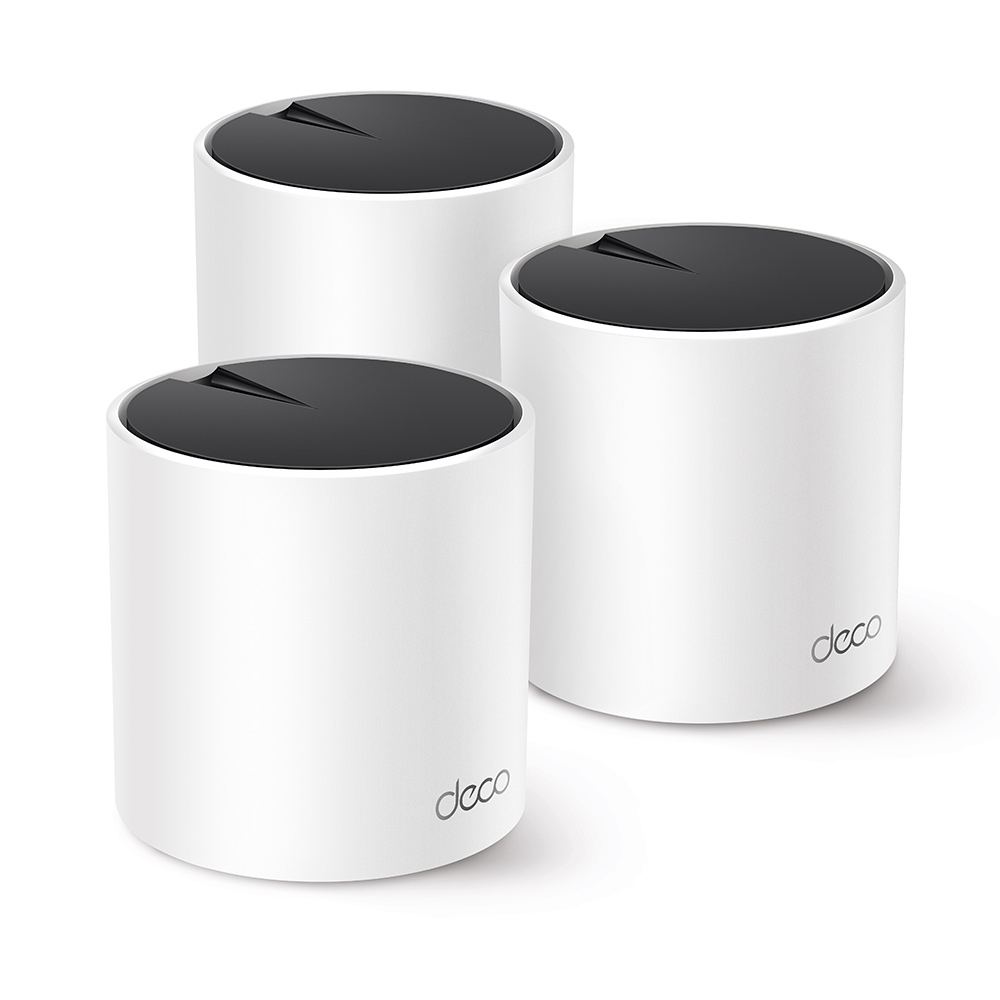
The Deco X55 is the calmer choice for most homes that need wider Wi-Fi coverage without moving into a full Wi-Fi 7 setup.
Wi-Fi 7 mesh · ASIN B0D54CYQQJ
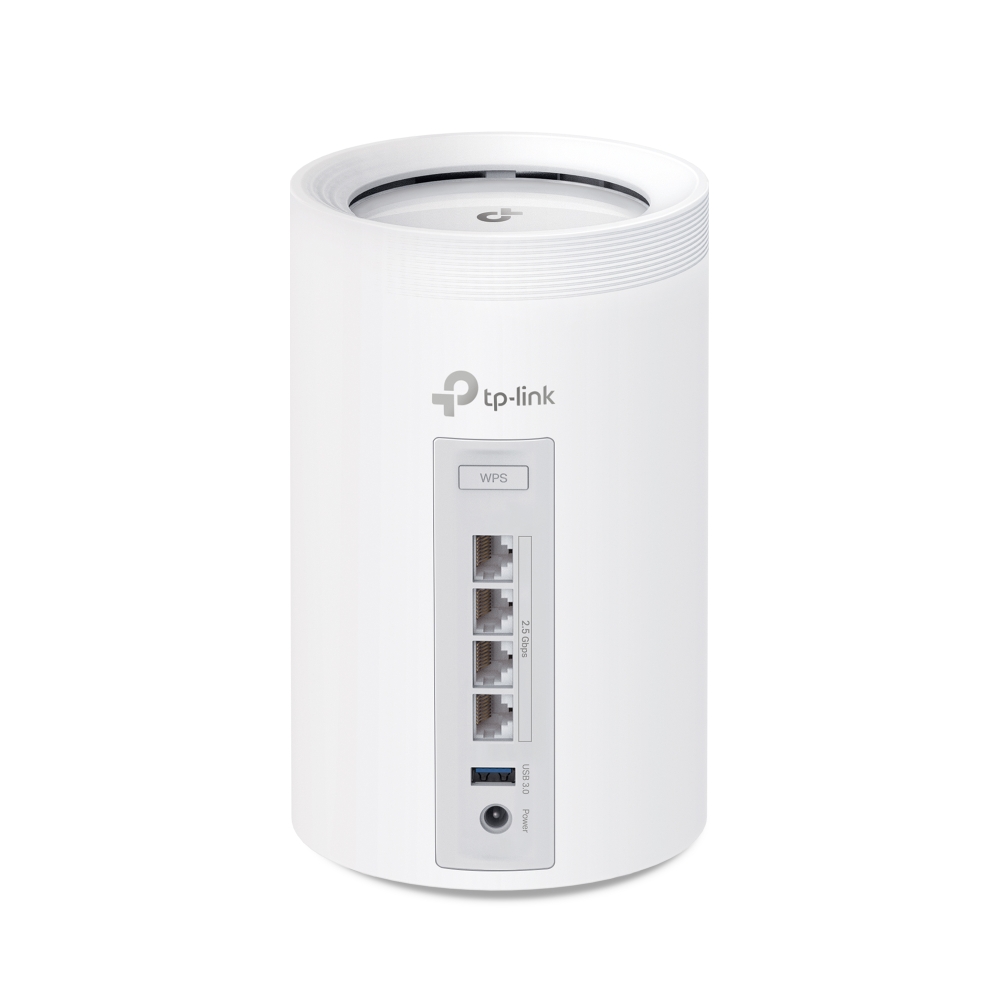
The Deco BE65 is the upgrade path for homes with multi-gig internet, newer devices, and a need for more wired speed.
QUICK DECISION
Choose X55 if
Choose BE65 if
FUNCTION COMPARISON
The X55 is about practical coverage. The BE65 is about newer wireless lanes, faster wired ports, and headroom for a heavier home network.
MODEL NOTES
Spec sheets are useful, but a home network is about tradeoffs. The question is whether the extra speed, ports, and 6 GHz band will actually change your day-to-day use.
DECO X55 DEEPER LOOK
Deco X55 is the more grounded choice when the home mainly needs better reach. The AX3000 speed class, three gigabit ports per unit, and support for Ethernet backhaul make it useful for homes where a single router no longer reaches the office, bedroom, or upstairs rooms cleanly.
DECO BE65 DEEPER LOOK
Deco BE65 is for a heavier home network: newer devices, more concurrent traffic, faster wired equipment, and a longer upgrade runway. Its 6 GHz band, Multi-Link Operation, 320 MHz channels, and 2.5G ports matter most when the rest of the home can take advantage of them.
ROOM-BY-ROOM THINKING
A single strong router may be enough, but a two-node or three-node mesh can help if the internet line enters at one far side of the home.
Deco X55 is often the practical starting point: wider coverage, easy app setup, and Ethernet backhaul if cabling is available.
Deco BE65 makes more sense when the internet plan, wired devices, and newer laptops or phones can actually use the extra speed.
PLACEMENT PLAN
Before buying, name the room that fails most often: the upstairs office, the bedroom TV, the kitchen camera, or the far end of the flat. That room decides where the second node should land.
Mesh nodes work best when they can breathe. A shelf, sideboard, or open desk is usually better than the back of a TV cabinet, a metal rack, or a low corner behind furniture.
If a cable can connect two Deco units, that wired link can make the mesh steadier because the nodes do not have to spend as much wireless capacity talking to each other.
After setup, walk through the home with the devices that matter. A laptop call, a smart TV stream, and a phone in the far room tell you more than a speed number beside the router.
HOME SCENARIOS
One main node may cover much of the space, but a second node can help if the modem sits near the entryway.
A three-node X55 layout is the practical baseline: one near the modem, one central, one near the upper or lower weak spot.
Prioritize the office first. A steadier work call matters more than chasing peak speed in a room that only streams video.
BE65 is the cleaner fit when desktops, consoles, storage, or wired backhaul can use 2.5G ports.
First, count the rooms where connection quality matters. A bedroom that only needs music streaming is different from an office with video calls and large uploads. Place the main Deco close to the modem, then use the other nodes to cover the rooms where signal drops.
Second, check whether you can use wired backhaul. Running an Ethernet cable between nodes lets the mesh spend less wireless capacity talking to itself. That can matter more than moving from one speed class to another.
Third, match the router to your internet plan. If the home is on a standard broadband plan and mostly uses Wi-Fi 5 or Wi-Fi 6 devices, Deco X55 is a sensible starting point. If the home has multi-gig service, NAS storage, game downloads, or newer Wi-Fi 7 devices, Deco BE65 is the more future-ready lane.
Affiliate disclosure: Elegant Threads may earn a commission when readers visit Amazon through links on this page. Product names and specifications belong to their respective owners and may change over time.
FAQ
Not always. Wi-Fi 7 is more future-ready, but older phones, TVs, and laptops cannot use every new feature. If the home mainly needs coverage, Deco X55 can still be the more sensible pick.
Coverage claims are measured in controlled conditions. Thick walls, floor materials, kitchens, mirrors, and where the modem enters the home can all change the real result.
It means Deco units talk to each other through Ethernet cable instead of only wireless signal. When available, it usually gives the mesh a steadier foundation.
Usually no. Most homes should let the Deco system handle Wi-Fi, or use access point mode if the existing router must stay in charge of the network.
SPEC SOURCES
Product specifications were checked against TP-Link's listed model pages and support material. Availability and product pages can change.